
Language
Switch SnazzyFoto to English, Bahasa Indonesia, Bahasa Melayu, Español or Filipino, and how it picks a language when it starts.
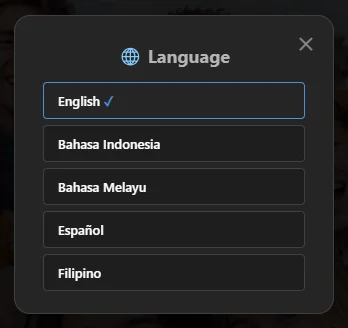
SnazzyFoto speaks five languages: English, Bahasa Indonesia, Bahasa Melayu, Español and Filipino. You can switch at any time, and the whole app changes at once — no restart needed.
Change the language
- Click the 🌐 button at the top right of the window. It shows the language in use, for example 🌐 English.
- The Language window lists the languages, each in its own words. The one in use 1 is highlighted. Click another one.
 1
The window closes and every menu, button and message switches to the new language straight away. Your open photos, layers and settings are not touched.
Other places to change it
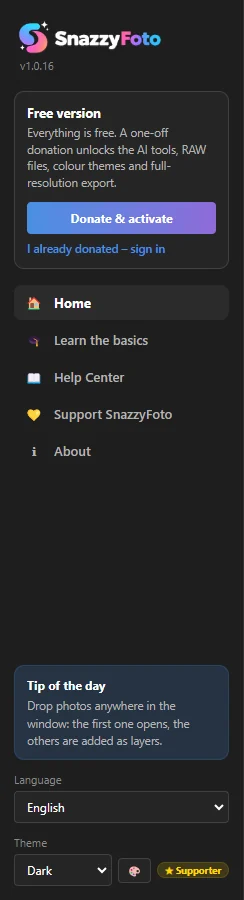
- Home screen — the Language menu at the bottom of the side bar.
- Photo Editor — Help › Language / Bahasa…, or Edit › Preferences › Language / Bahasa…. Both open the same Language window.
- About box — click ℹ About in the top bar and use the Language menu there.
 1
In every language the menu item also contains the English word Language (for example Idioma / Language… in Spanish), and the 🌐 button is always in the top bar. So you can always find your way back, even after picking a language you can't read.
The language at start-up
SnazzyFoto remembers the language you chose and starts in it every time.
The very first time, before you have chosen one, it uses the language of Windows: Indonesian, Malay, Spanish or Filipino (Tagalog) if Windows is set to one of them, and English for every other language.
What is translated
- Everything in SnazzyFoto: menus, buttons, panels, tips, messages and the licence window.
- The titles and file types in SnazzyFoto's open and save windows. The buttons in those windows (such as Open and Save) belong to Windows and follow the Windows language.
- A few names stay the same in every language: SnazzyFoto, Develop, Faceswap, AI, LUT, RGB, GFPGAN and pixel sizes such as 2048 px.
This Help Center is written in English and Indonesian. If you read it in Malay, Spanish or Filipino, you get the English articles with a short notice. The words on screen then appear in English in the articles, while SnazzyFoto shows them in your language.